
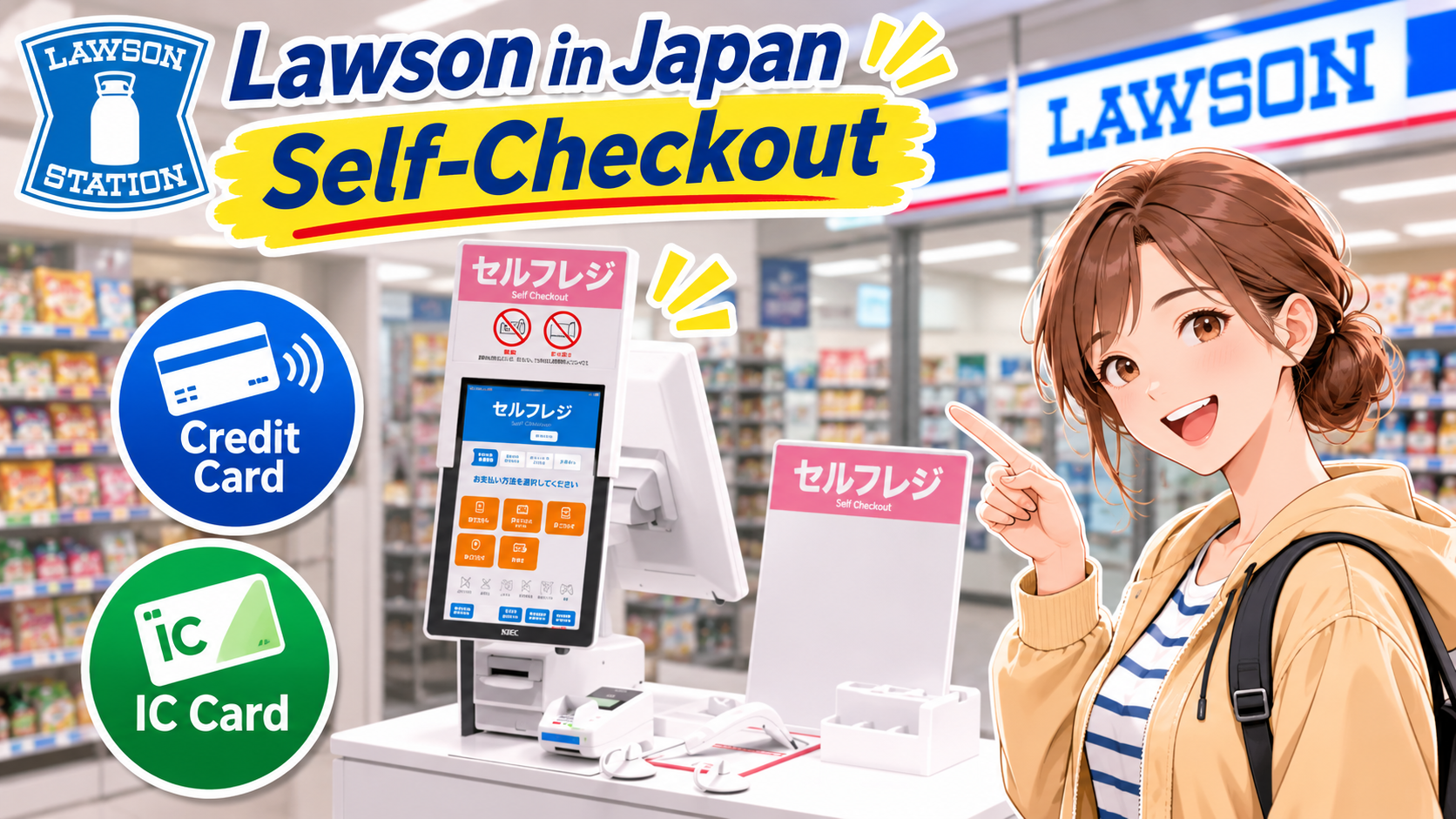
Some Lawson convenience stores in Japan have self-checkout registers.
In this guide, we’ll walk you through how to use one, with screenshots of the actual checkout screen.
We’ll use images taken from Lawson’s official video to show you each step.
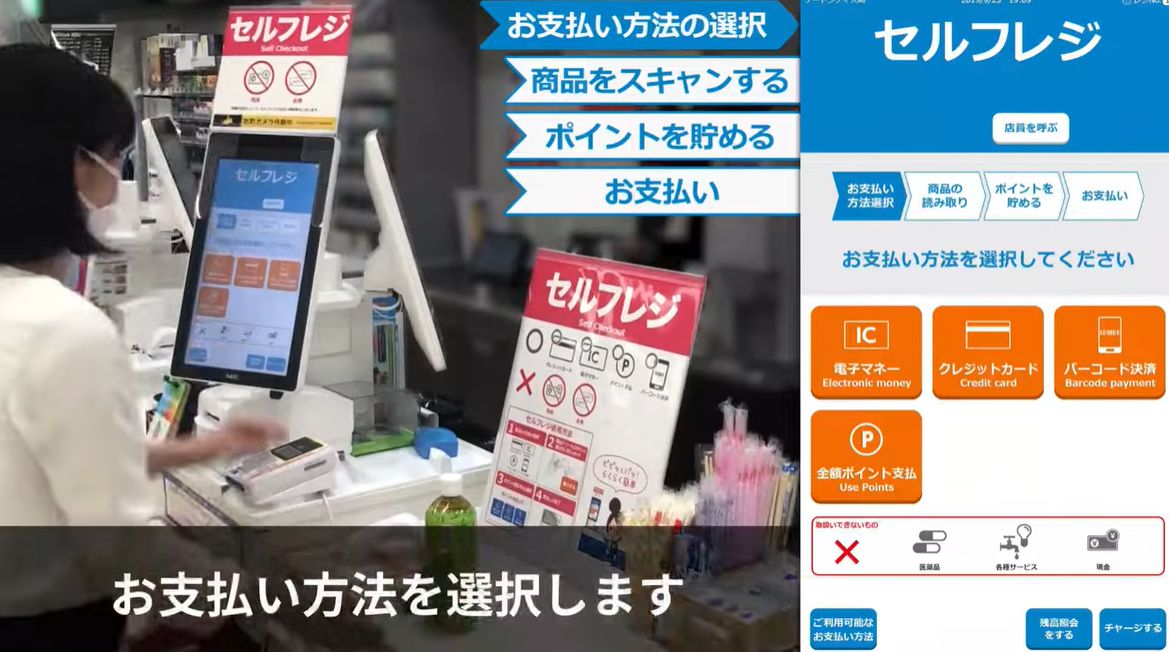
① Choose Your Payment Method
- Electronic Money / Pay with a Japanese transit IC card, such as Suica, PASMO, or ICOCA
- Credit Card / Pay with a credit card
- Barcode Payment / Pay with a supported mobile payment app
- Pay Entirely with Points / Use your accumulated points to pay for the full purchase
In the image below, the left side shows someone using the self-checkout register, while the right side shows the actual screen.
If you’re visiting Japan, choose electronic money or credit card payment.
This example shows how to pay by credit card.

Most Lawson self-checkout registers don’t accept cash, though some do.
If you want to pay with cash, use a staffed register.
Also, shopping bags cost extra.
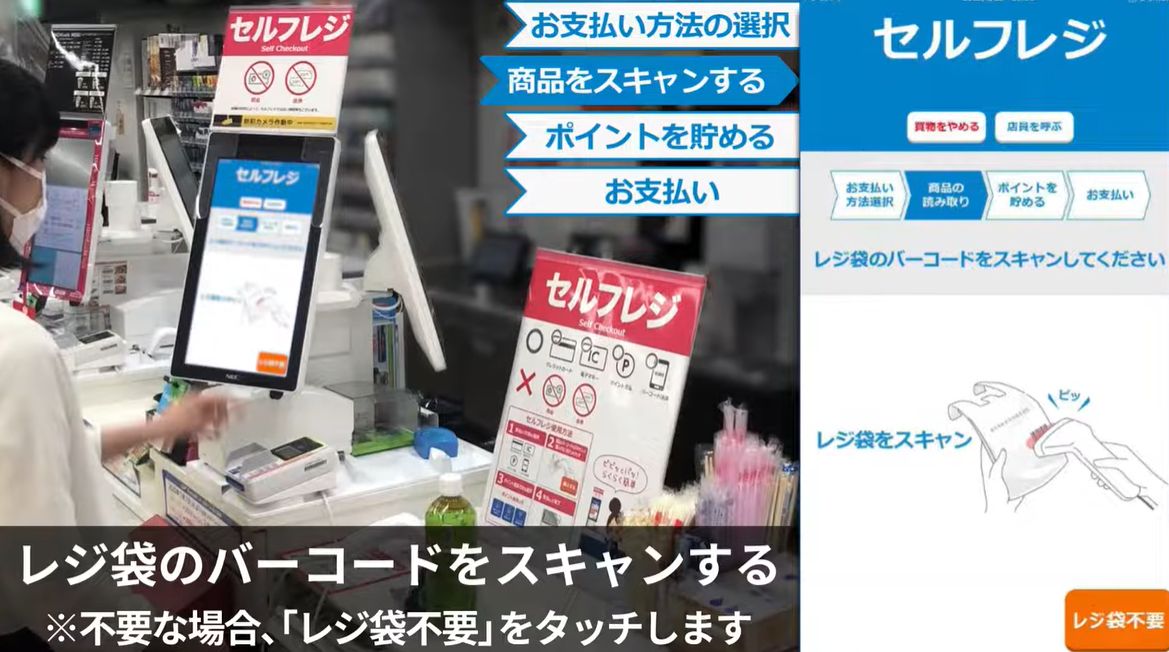
② Choose Whether You Need a Shopping Bag
If you need a shopping bag, take one from near the register and scan its barcode.
If you don’t need one, tap 「レジ袋不要」 (No Bag) on the screen.
③ Scan Your Items
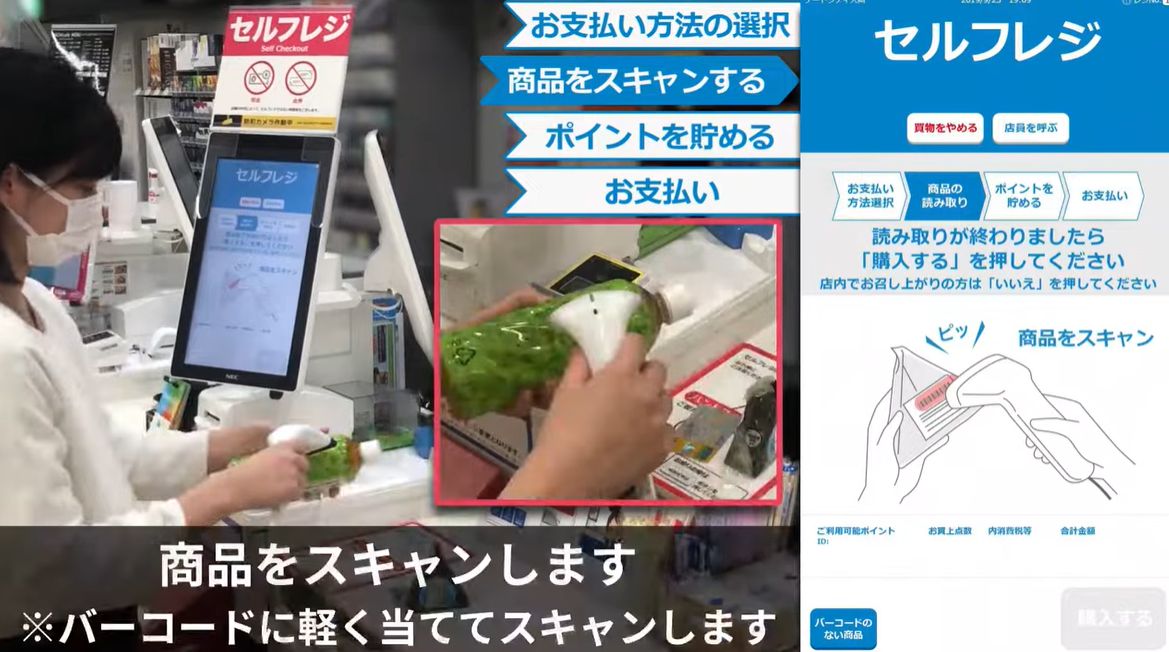
Scan the barcode on each item.
④ Check Your Items and Total
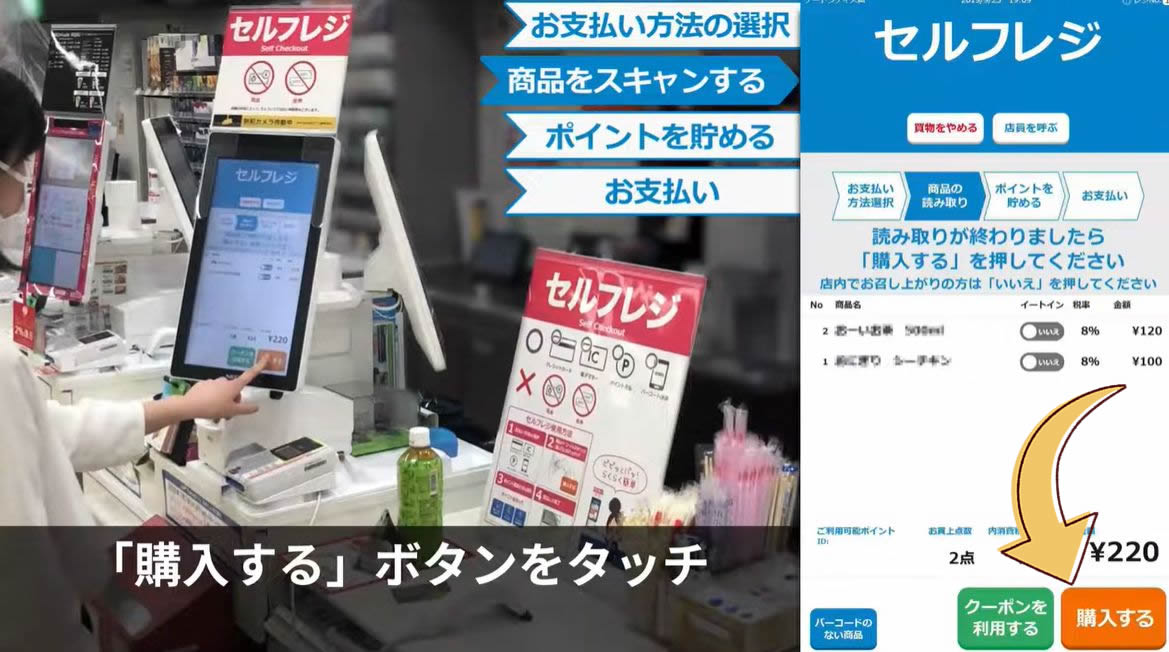
Once you’ve scanned everything, check your items and the total amount, then tap 「購入する」 (Purchase).
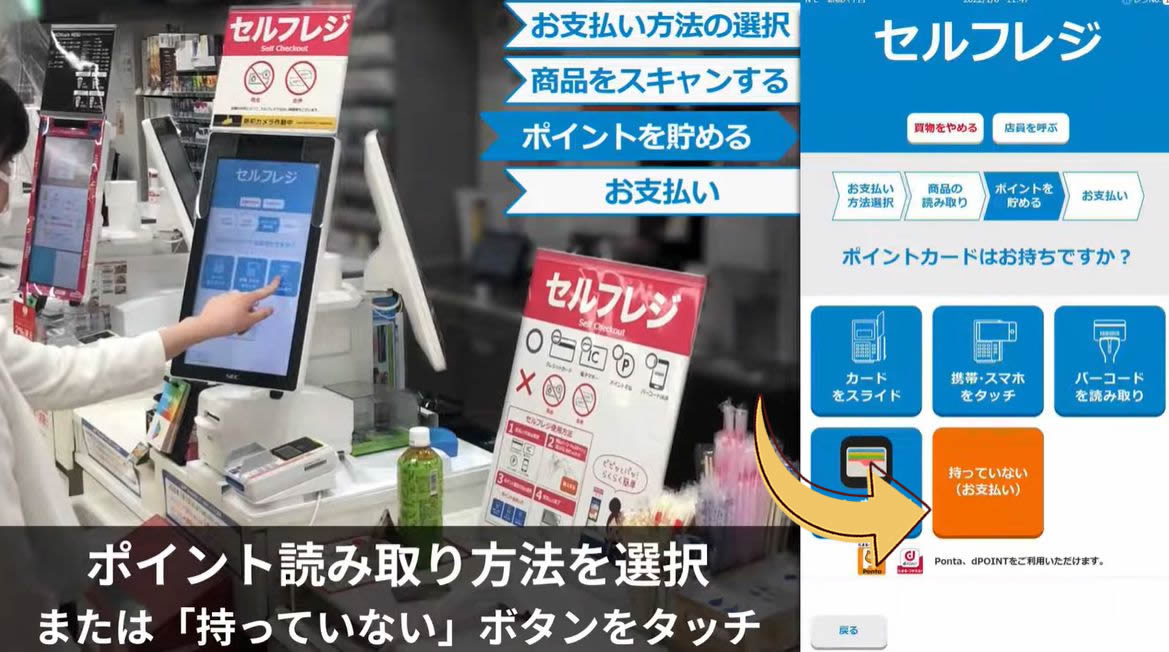
⑤ Choose Whether to Scan a Points Card
If you don’t have a Lawson Ponta card or d POINT card, tap 「持っていない」 (I Don’t Have One).
⑥ Follow the On-Screen Instructions to Pay by Credit Card
- With an IC Chip / Insert your card
- Without an IC Chip / Swipe your card
- Contactless Payment / Tap your card on the terminal
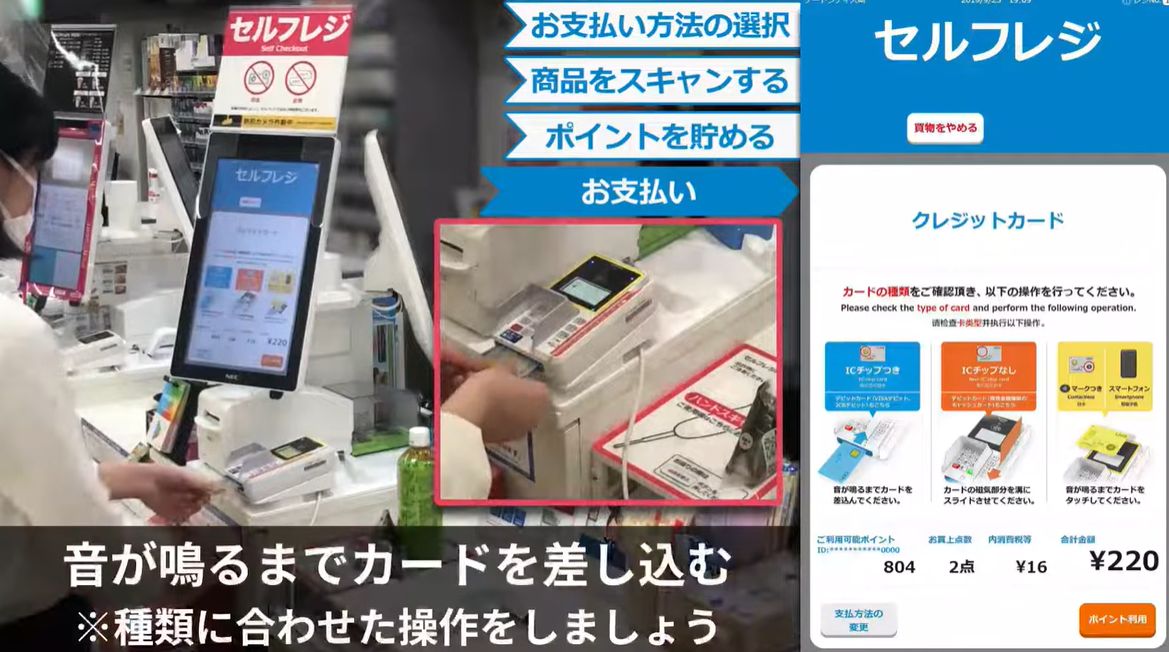
⑦ Complete Your Card Payment
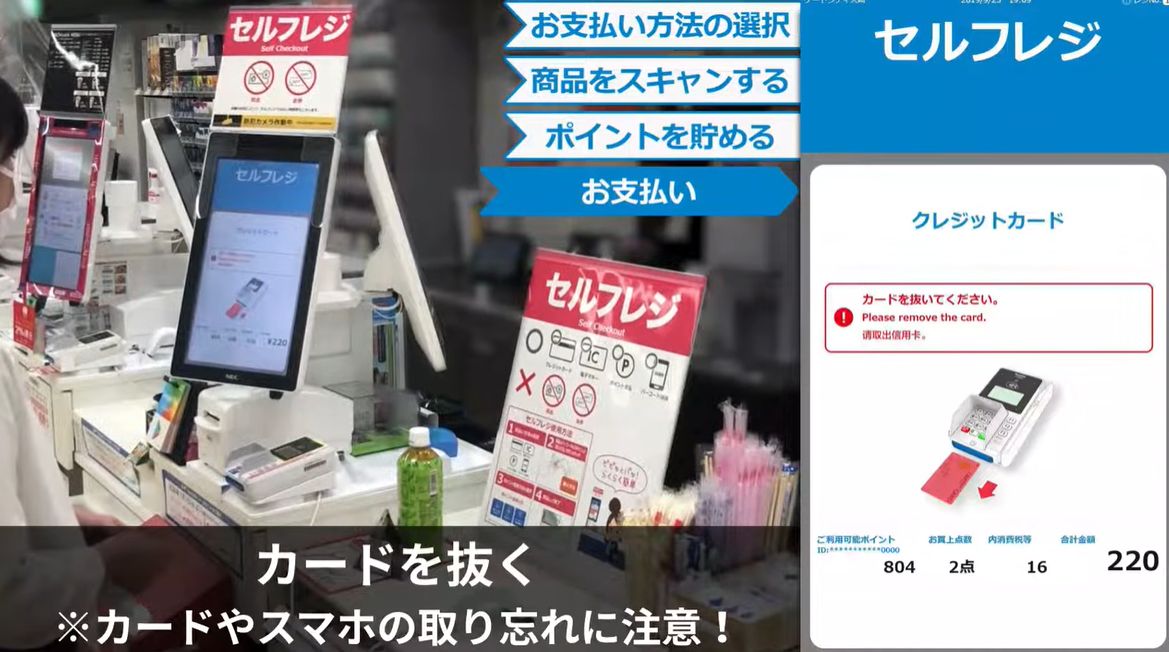
Follow the on-screen and spoken instructions for your payment method until payment is complete.
⑧ You’re Done!
Take your receipt, bag your items, and you’re done shopping.
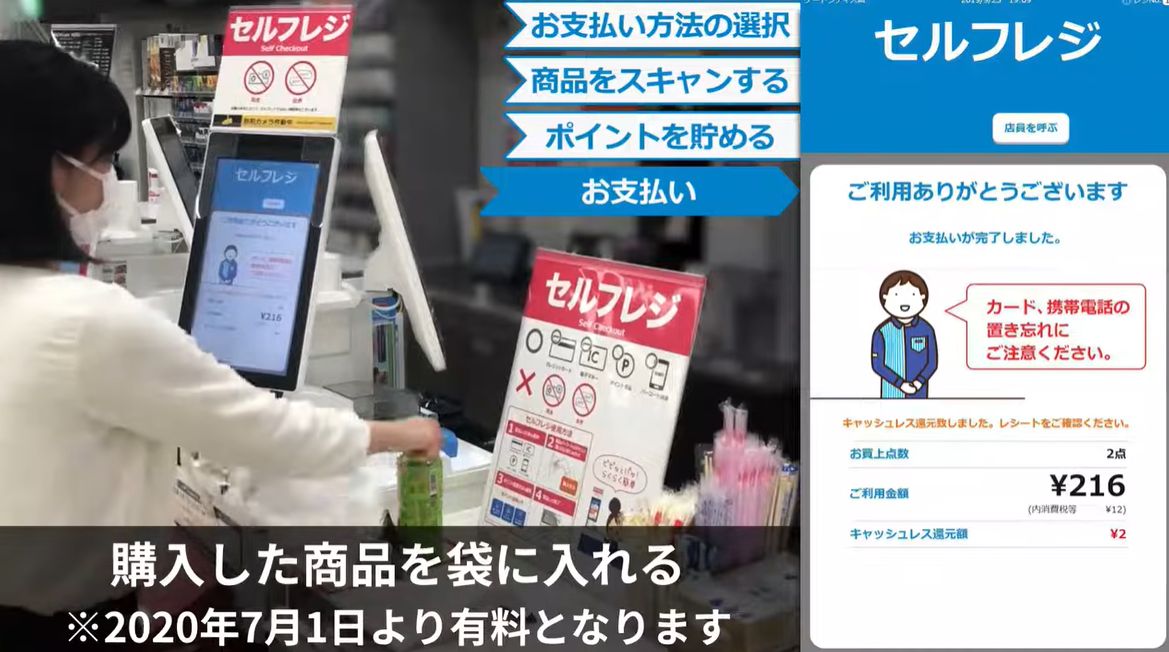

Doesn’t seem too hard, does it? Woof!