
Self-checkout registers are widely used at UNIQLO stores in Japan.
In this guide, I’ll walk you through the self-checkout process step by step, using screenshots taken from this video.
① Bring your items to a self-checkout register.
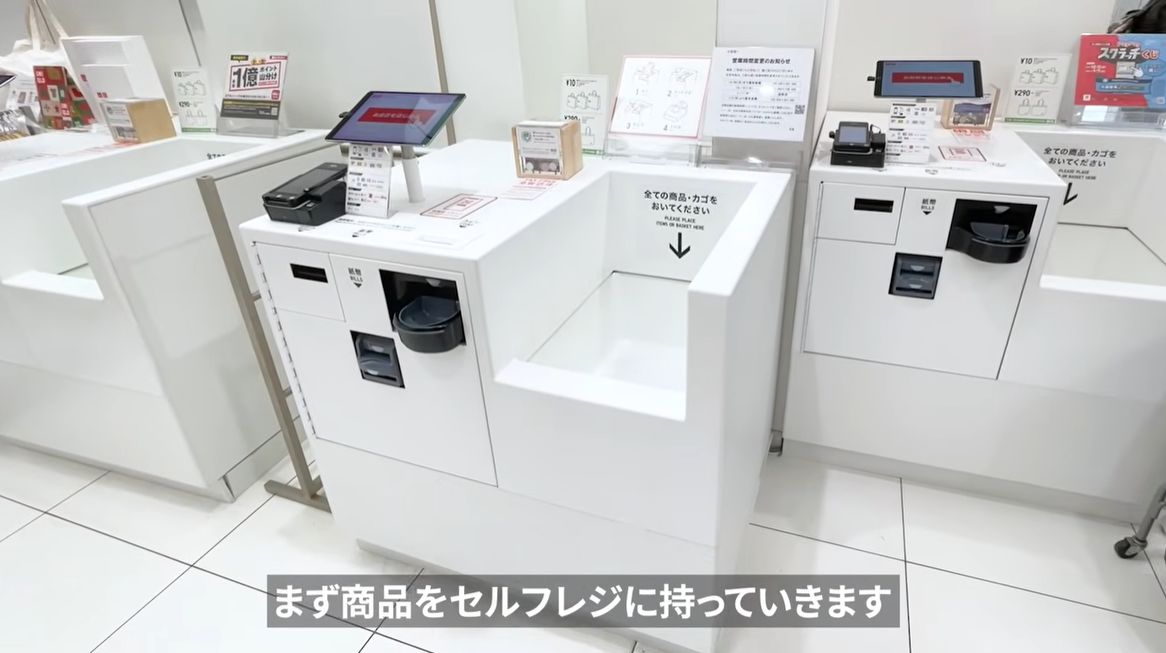
② Tap the red “Start Checkout” (お会計をはじめる) button.
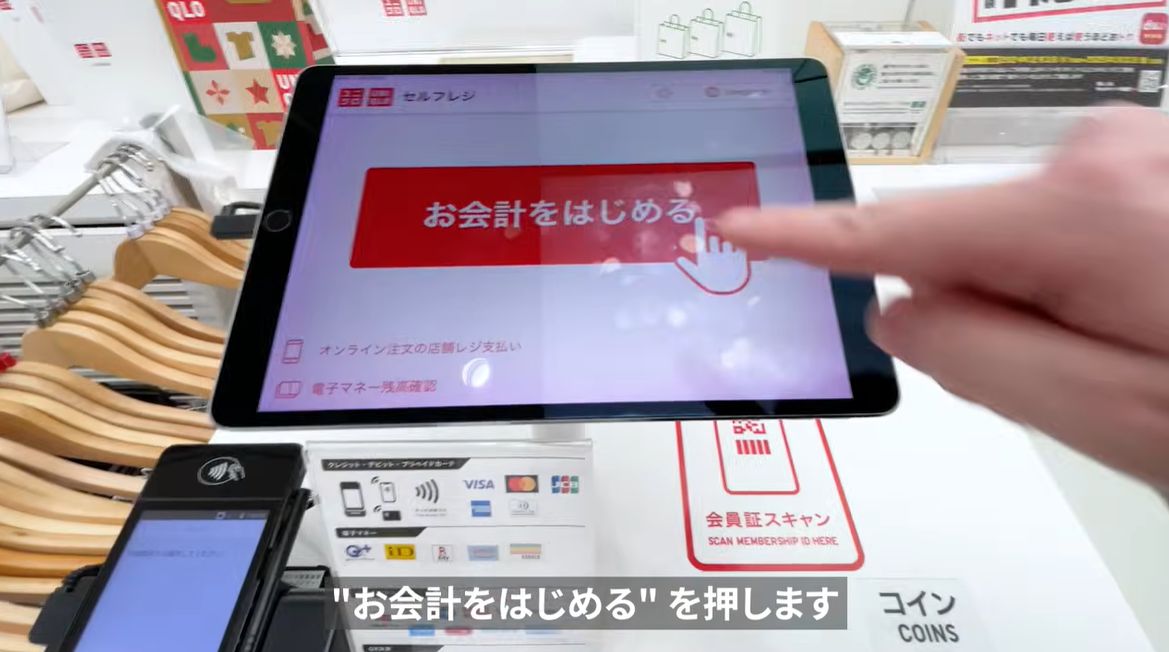
③ When you see “会員証はお持ちでしょうか?” (Do you have a membership card?), select “No” (いいえ).
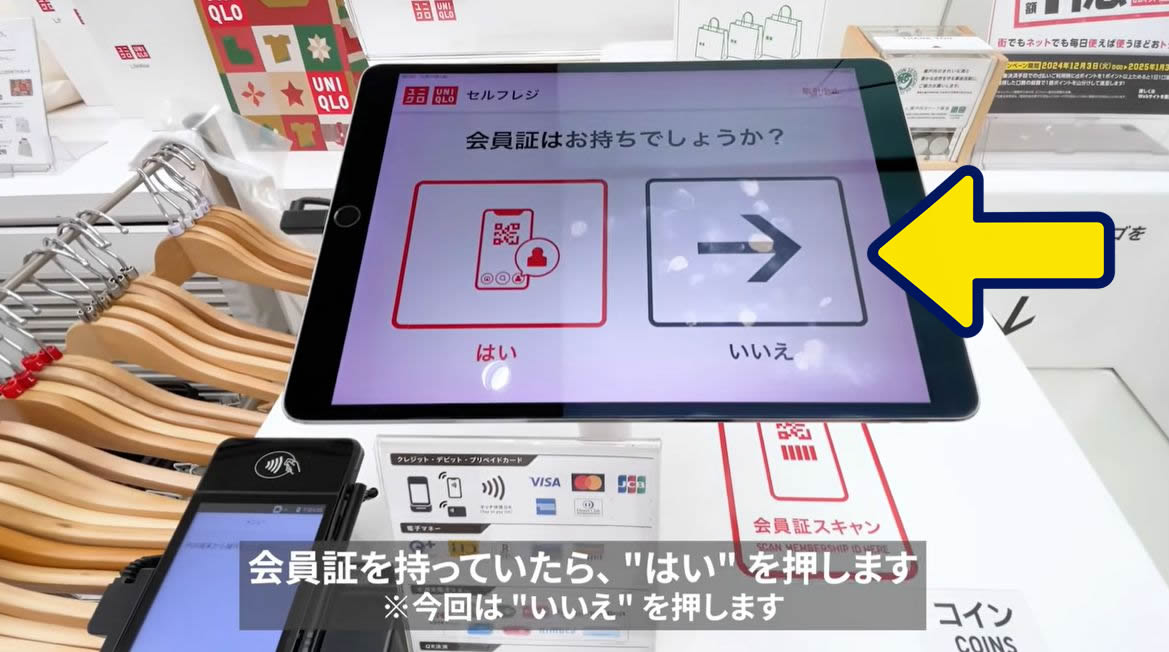
A membership barcode from a UNIQLO app registered outside Japan cannot be used at UNIQLO stores in Japan.
However, you don’t need the app or a membership to shop at UNIQLO in Japan.
Just skip the membership card step and continue to checkout and payment.
④ Place all your items together in the space on the right.
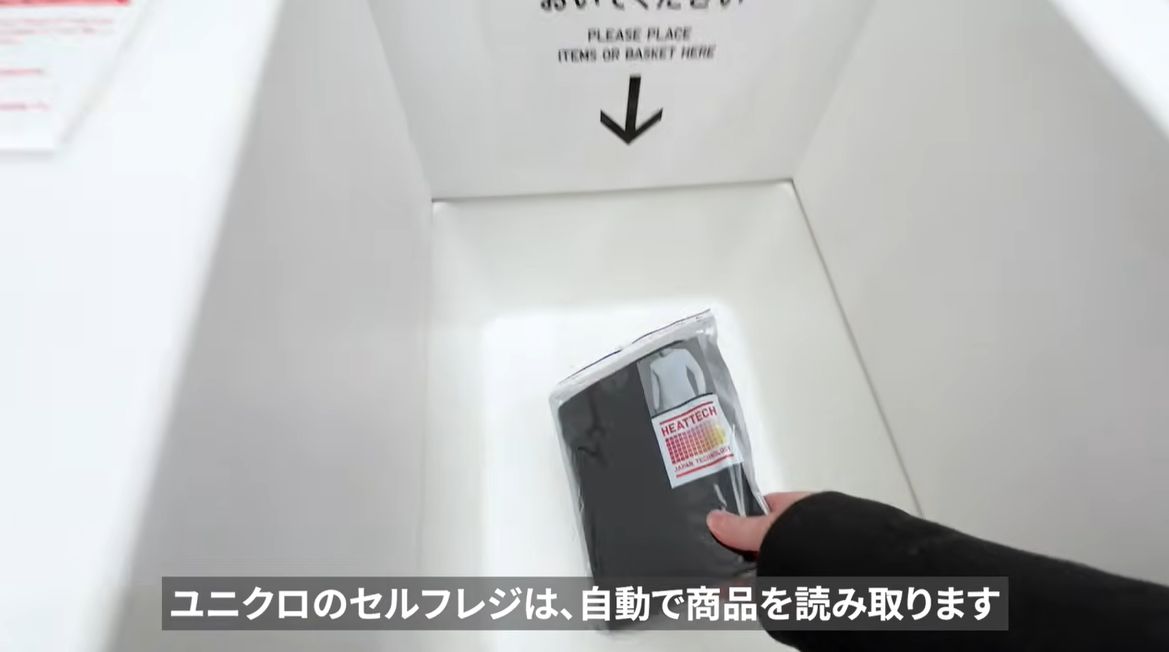
The register scans all your items at once, so there’s no need to scan them one by one.
For example, if you have 10 items, put all 10 in together. Woof!
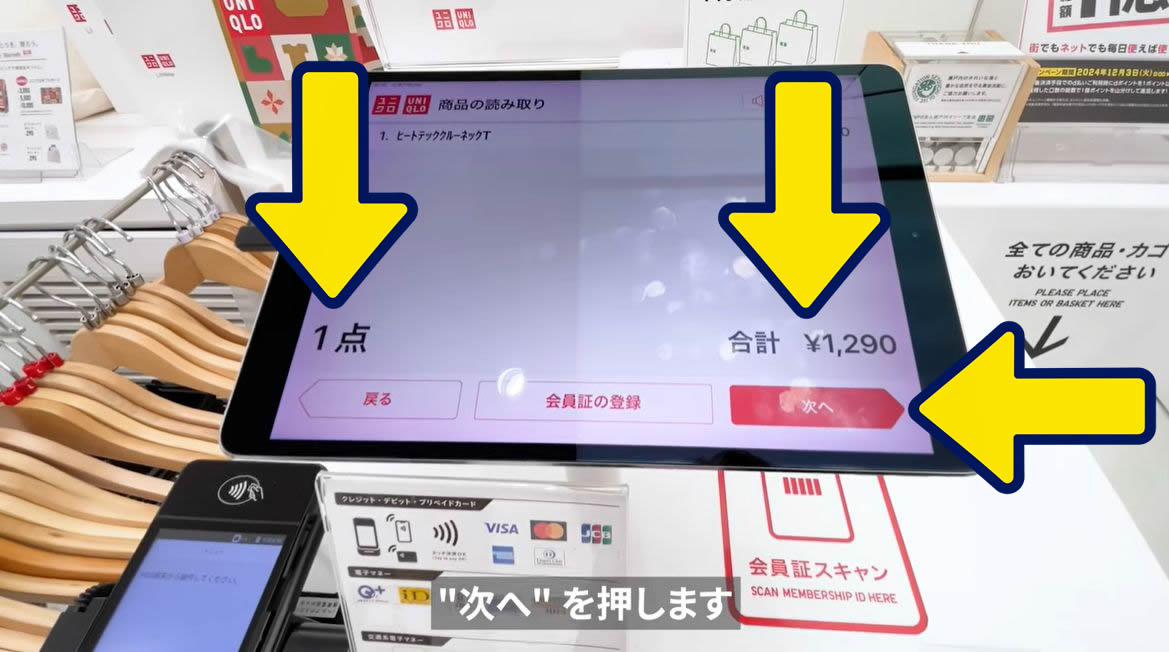
⑤ Check the number of items and the total price, then tap “Next” (次へ).
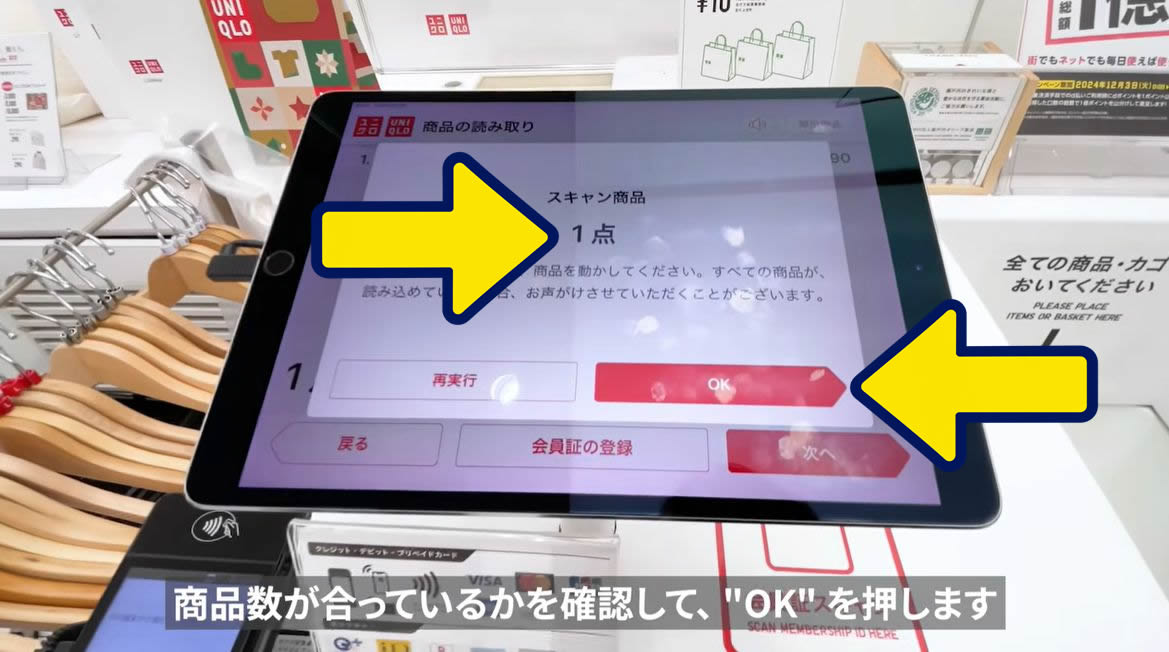
⑥ The screen will ask you to confirm the number of items again.
- If the item count is correct, tap “OK”.
- If the item count is incorrect, tap “Retry” (再実行).
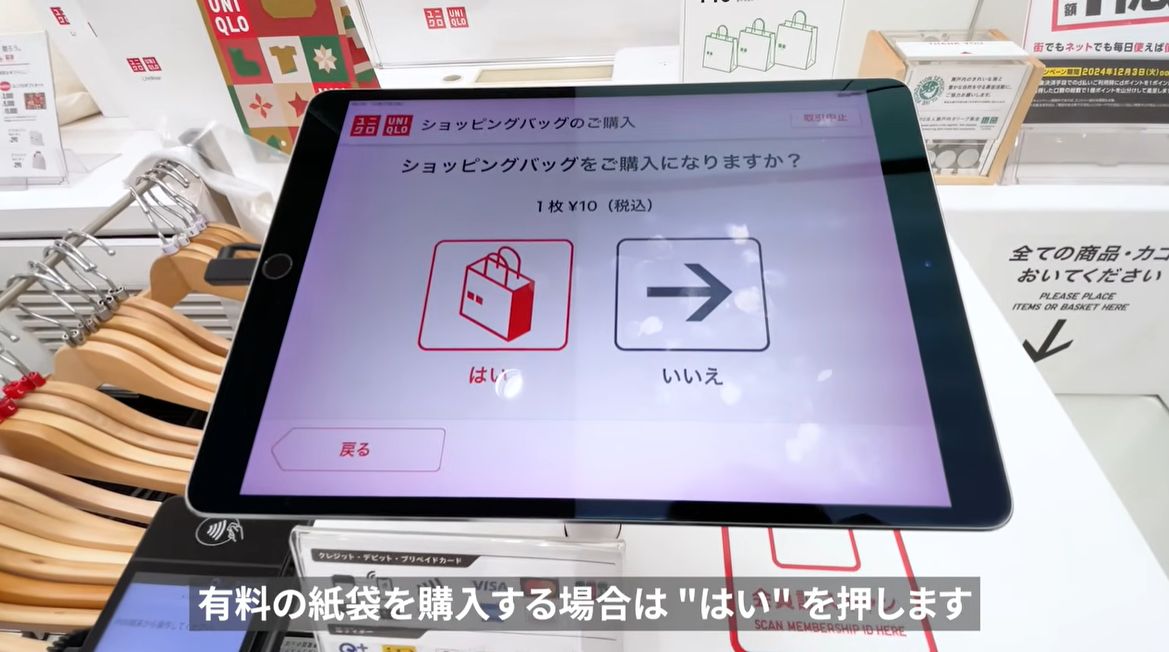
⑦ Do you need a shopping bag (paper bag)?
- If you need a bag, tap “Yes” (はい) on the left.
- If you don’t need one, tap “No” (いいえ) on the right.
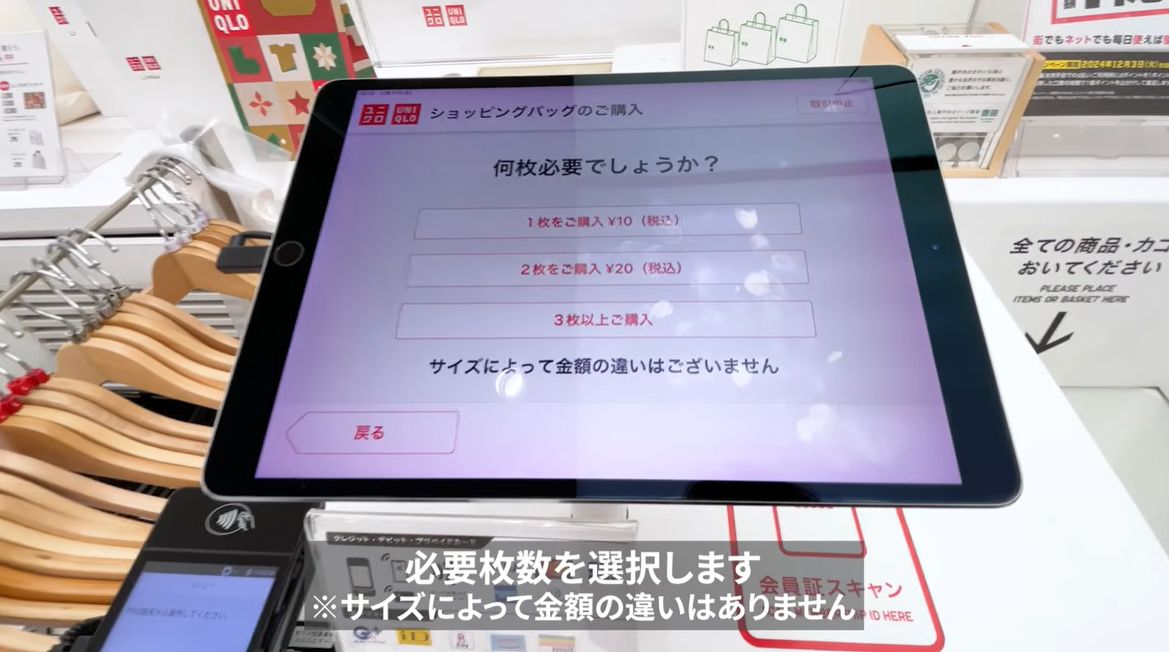
⑧ If you selected “Yes”, choose how many bags to buy.
- 1 bag
- 2 bags
- 3 or more bags
⑨ Choose your payment method.
Here are three payment options:
- Cash (現金)
- Credit card (pay in full / クレジット(一括))
- Electronic money (電子マネー)
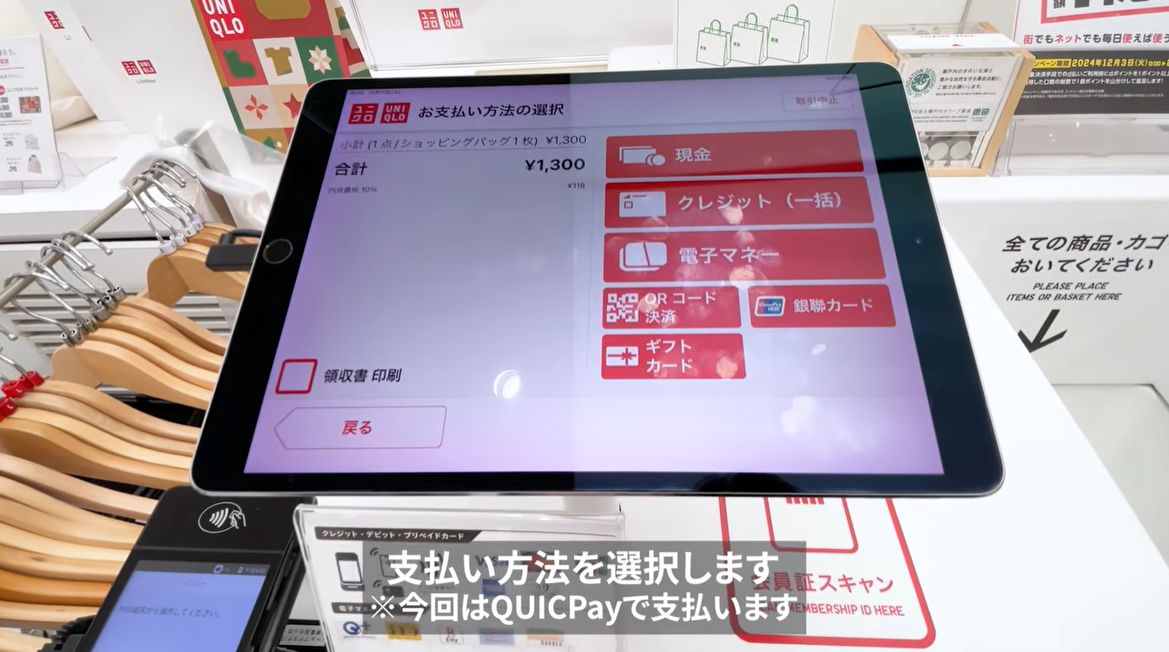
You can pay with transit IC cards such as Suica, PASMO, and ICOCA by selecting the e-money option. Choose “交通系IC” (Transit IC Cards).
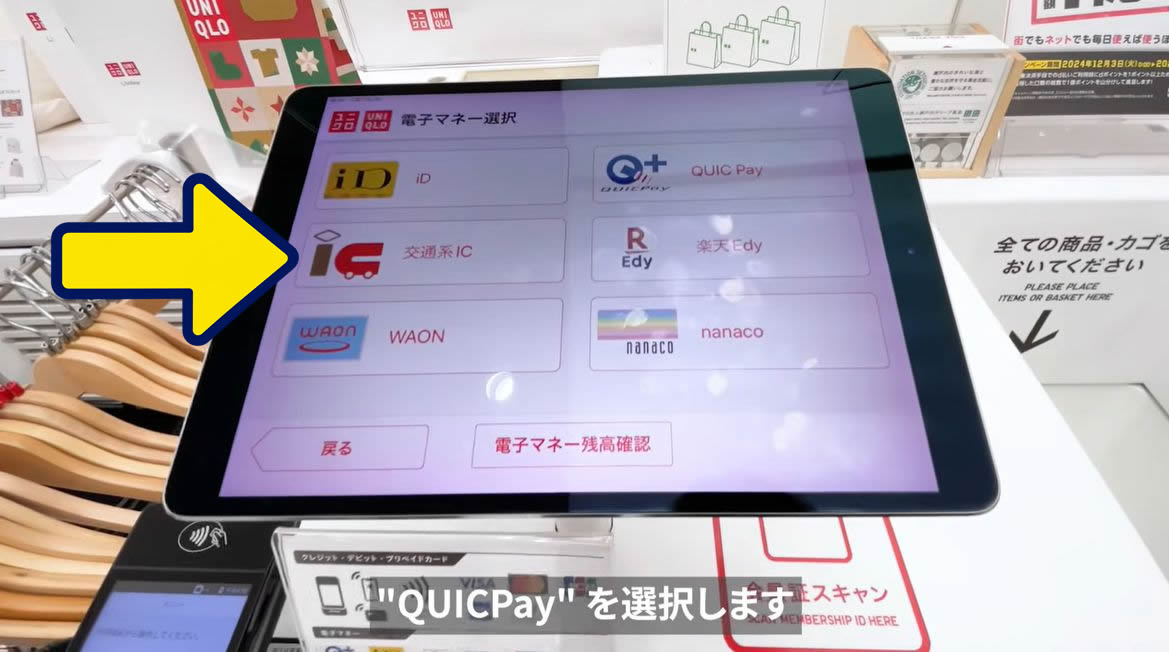
Note: The caption at the bottom of the image says “Select QUICPay.” This is the payment method used in the video demonstration. If you’re paying with a transit IC card, select the corresponding payment option instead.
⑩ Payment instructions will appear on the screen.
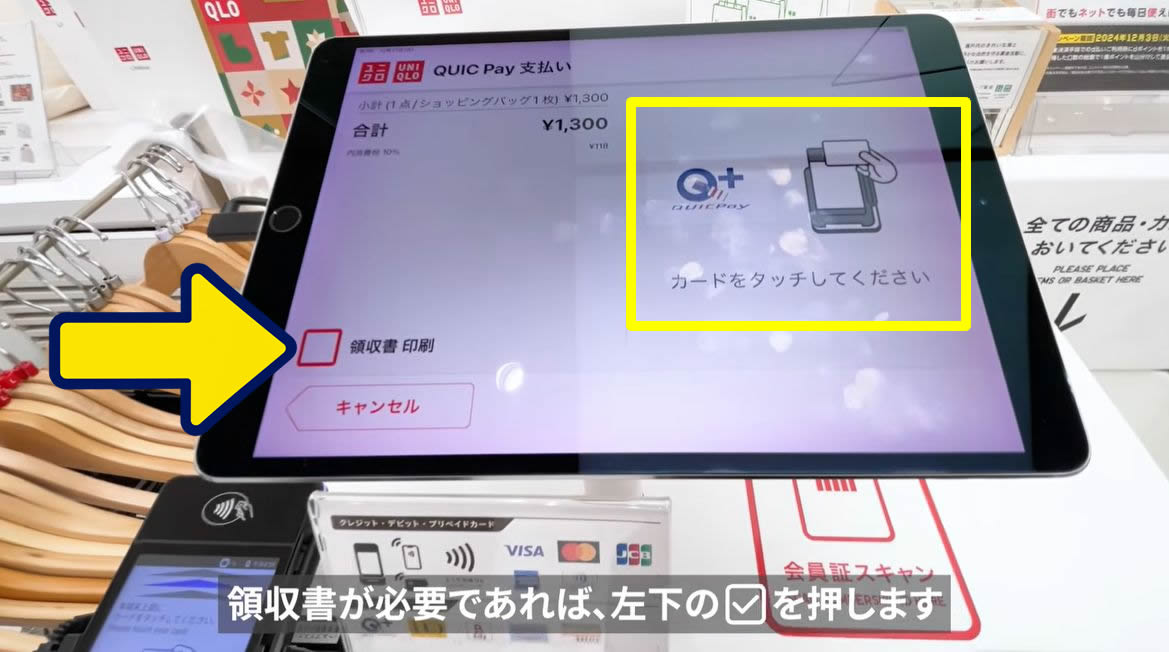
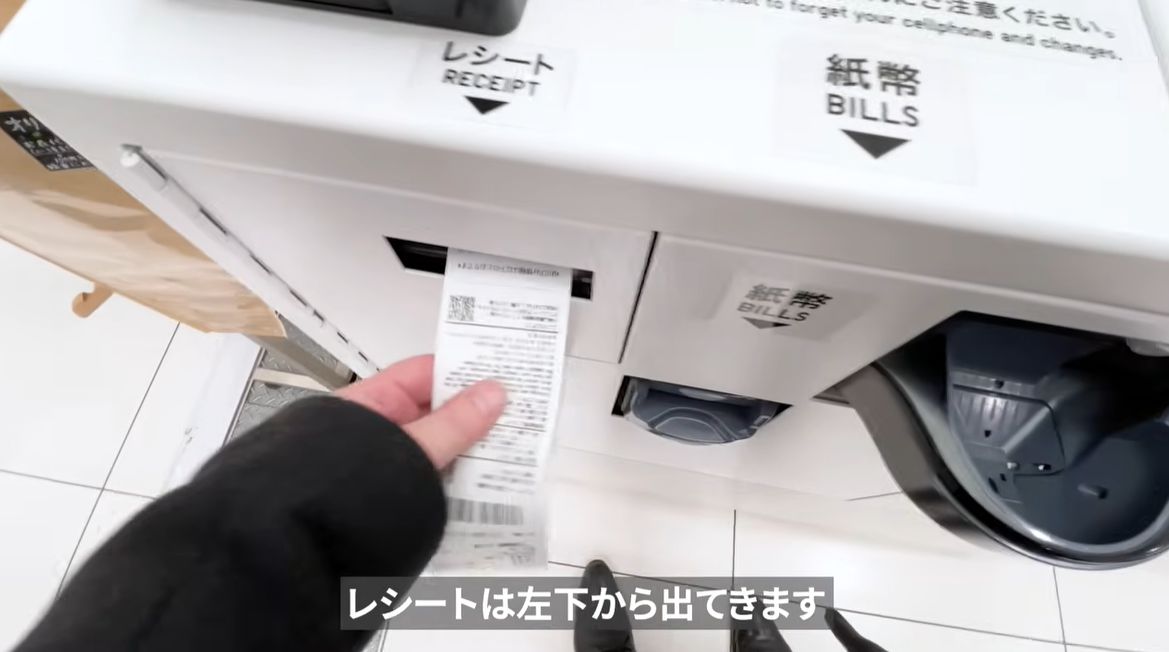
You’ll get a regular paper receipt even if you leave the “領収書 印刷” box unchecked.
Keep your receipt! You’ll need it if you want to return or exchange an item.
If you also need a separate receipt, check “領収書 印刷” (Print Receipt) in the lower-left corner of the screen.
⑪ Use the payment terminal below and to the left of the touchscreen.
If you’re paying with cash, use the cash insertion slot at the lower right instead.
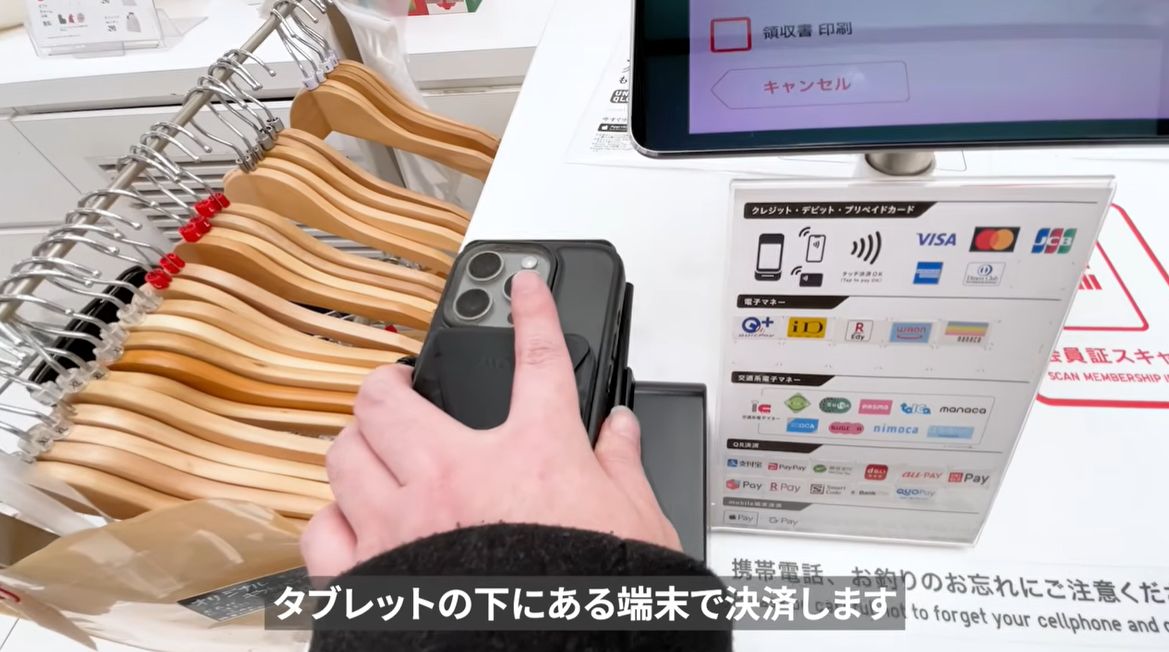
⑫ Your paper receipt comes out of the slot at the lower left.
⑬ Once you’ve paid, move to the nearby bagging area.
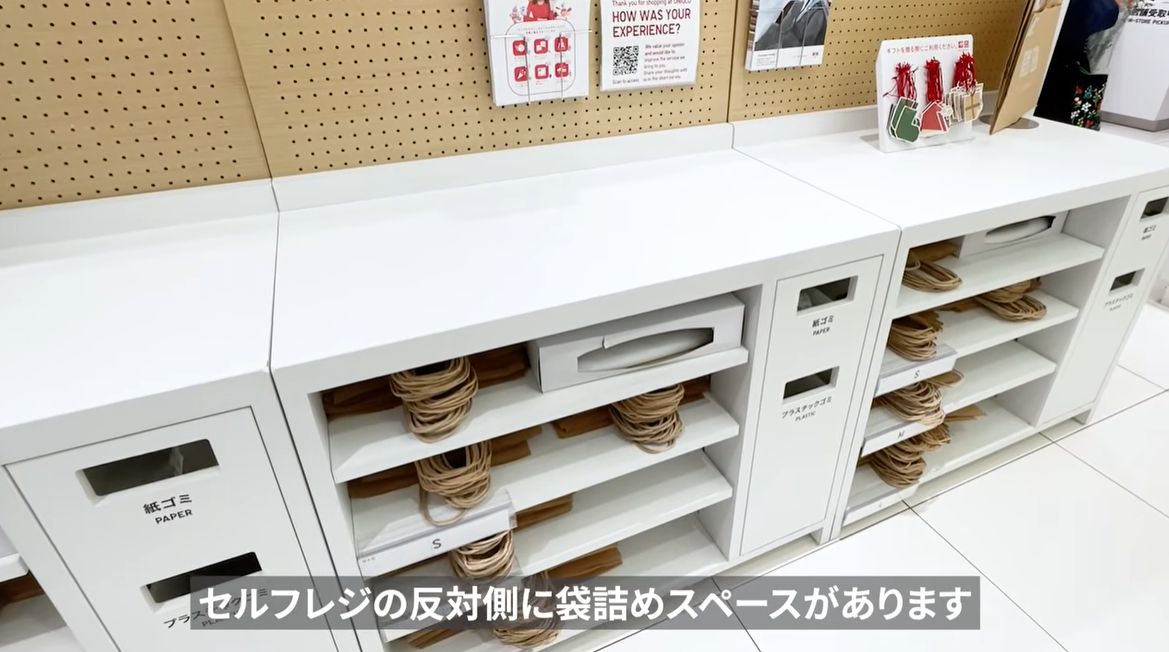
⑭ Pick up the same number of paper bags from the shelf as you paid for, then pack your items.
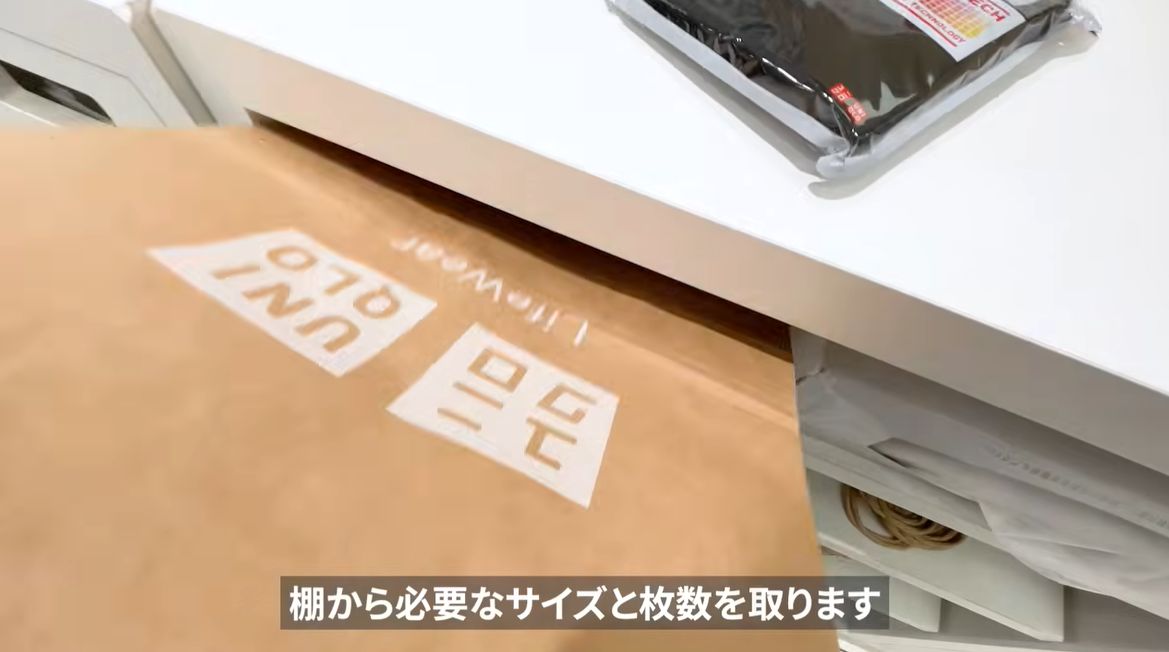
For example, if you purchased one paper bag, you can choose any available bag size.
And that’s how to use self-checkout at UNIQLO in Japan!