
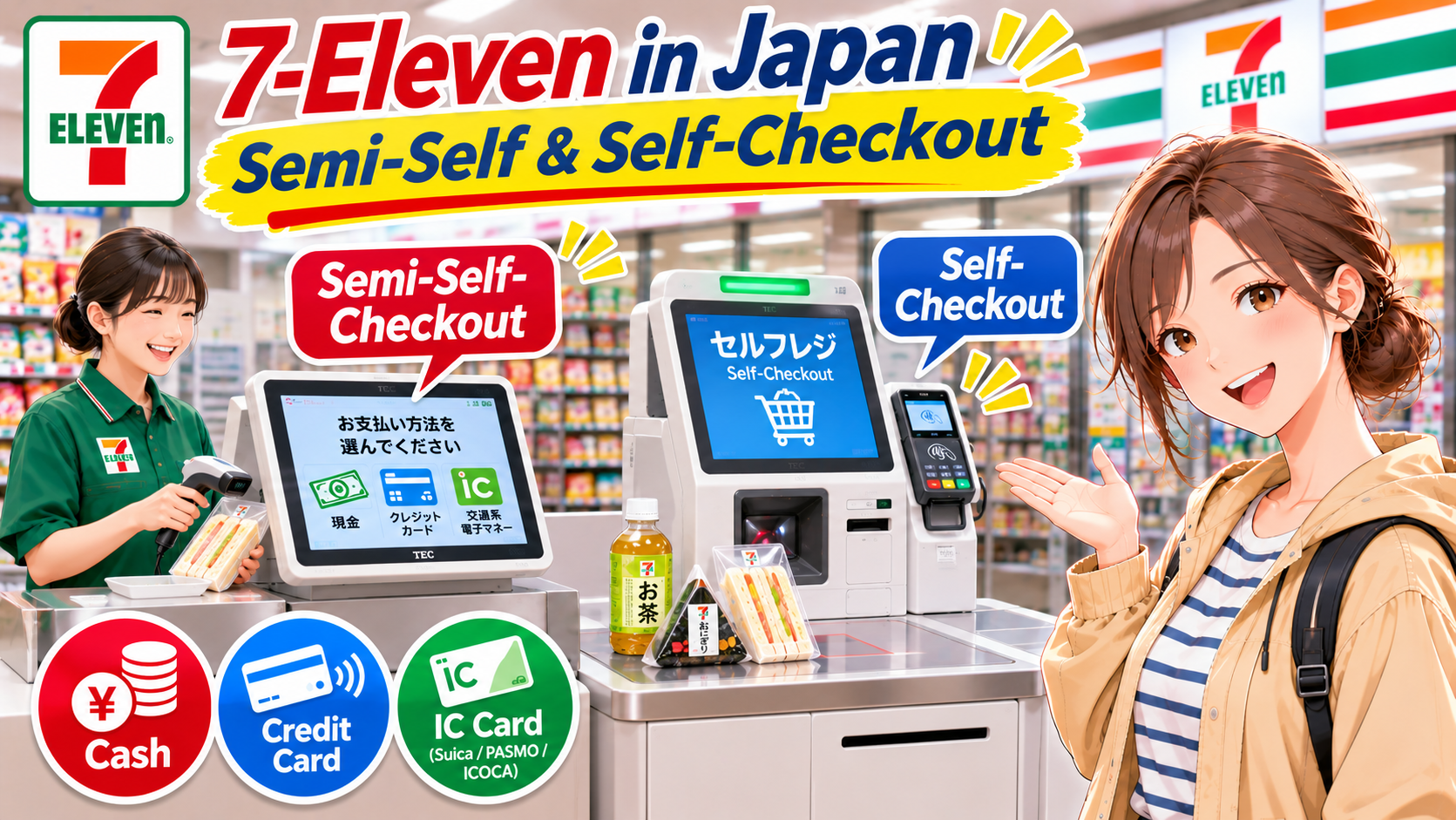
You’ll probably stop by a 7-Eleven convenience store during your trip to Japan. Here’s how to use its two types of checkout: semi-self-checkout and self-checkout.
- Semi-Self-Checkout / A staff member scans your items, and you handle the payment yourself.
- Self-Checkout / You scan your items and complete the payment yourself.
How to Use Semi-Self-Checkout at 7-Eleven in Japan

Let’s start with semi-self-checkout, using screenshots taken from this video.
① Bring your items to the checkout counter.
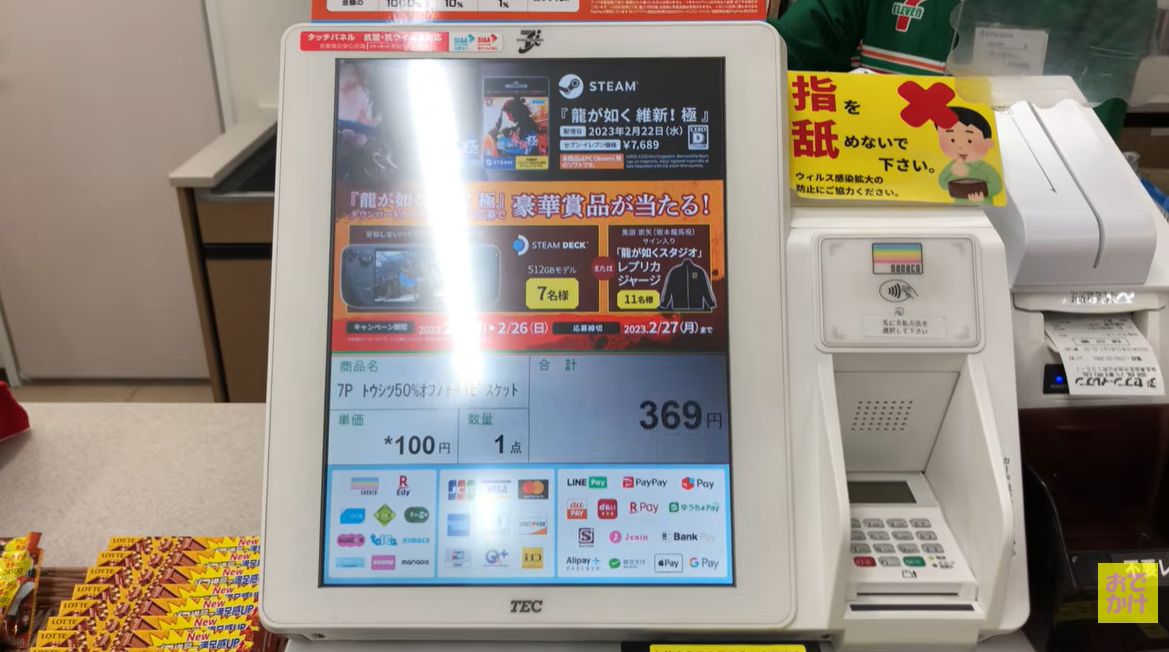
There’s a space to place your items on the right, just outside the photo.
If you want cigarettes or hot snacks sold near the checkout counter, tell the staff member what you’d like at this point.
② Tell the staff member whether you need a bag.
The staff member will ask if you need a bag. Convenience stores in Japan charge for shopping bags.
- If you need a bag / Yes, please.
- If you don’t need a bag / No, thank you.
③ On the payment screen, choose how you want to pay.
- Cash (現金) / To pay with cash in Japanese yen.
- Credit Card (クレジットカード) / To pay with a credit card.
- Transit IC Card (交通系電子マネー) / To pay with Suica, PASMO, ICOCA, or another transit IC card.
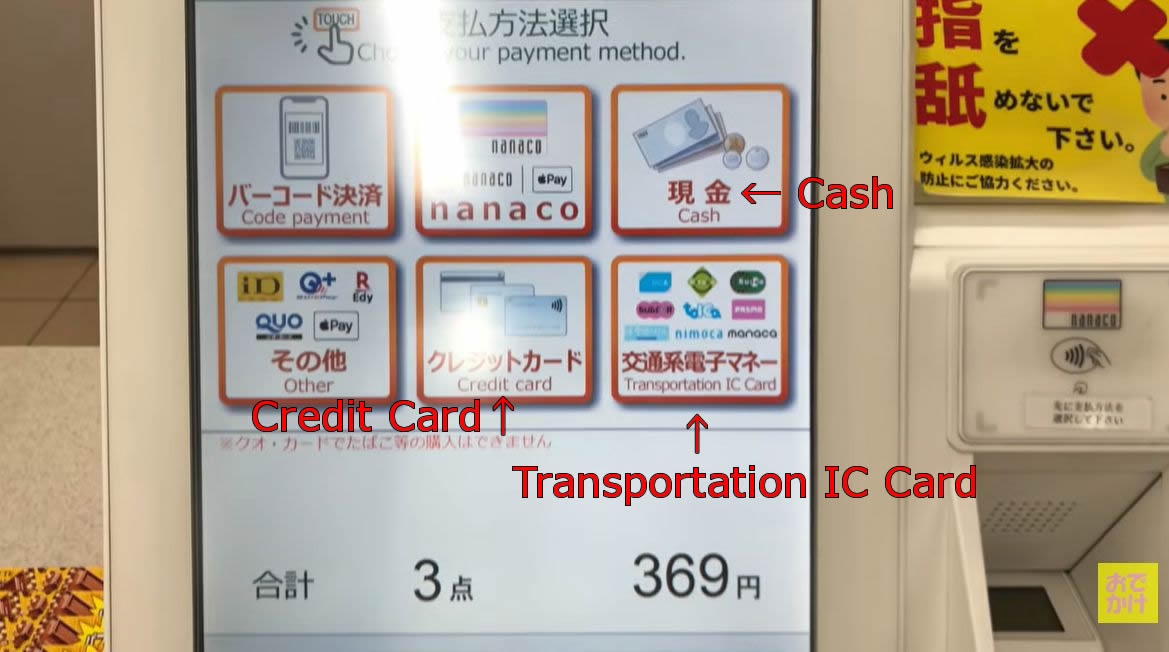
④ Complete your payment.
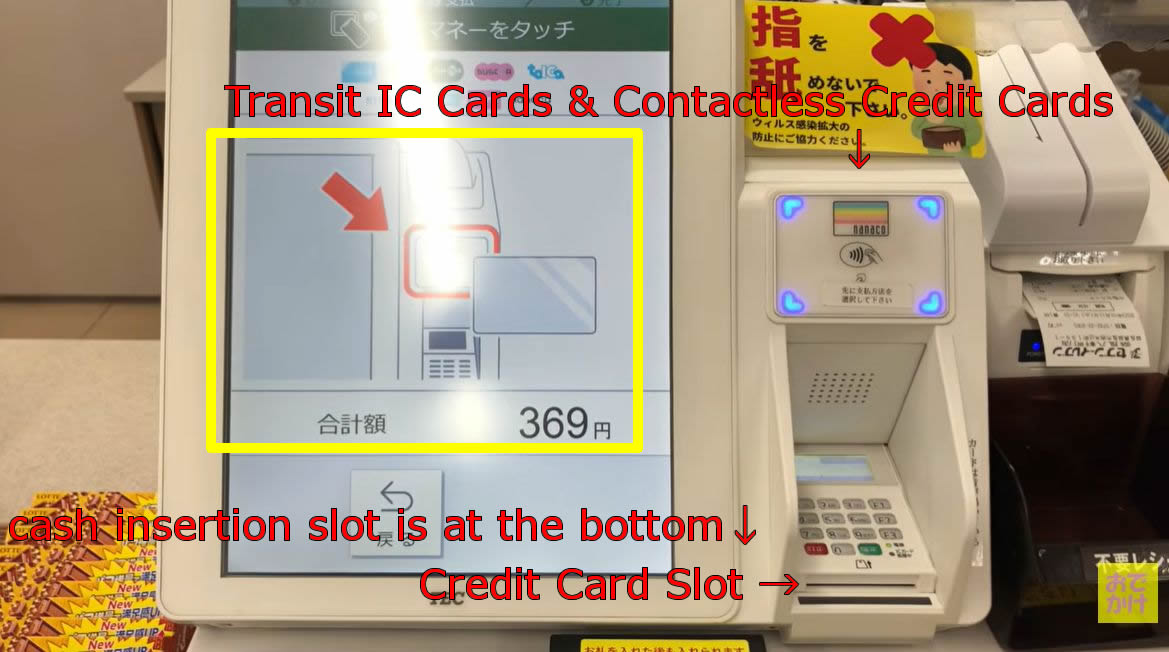
Follow the instructions on the screen to pay, then take your receipt. That’s it!
How to Top Up a Transit IC Card
You can also top up your transit IC card with cash at the checkout when selecting a payment method.
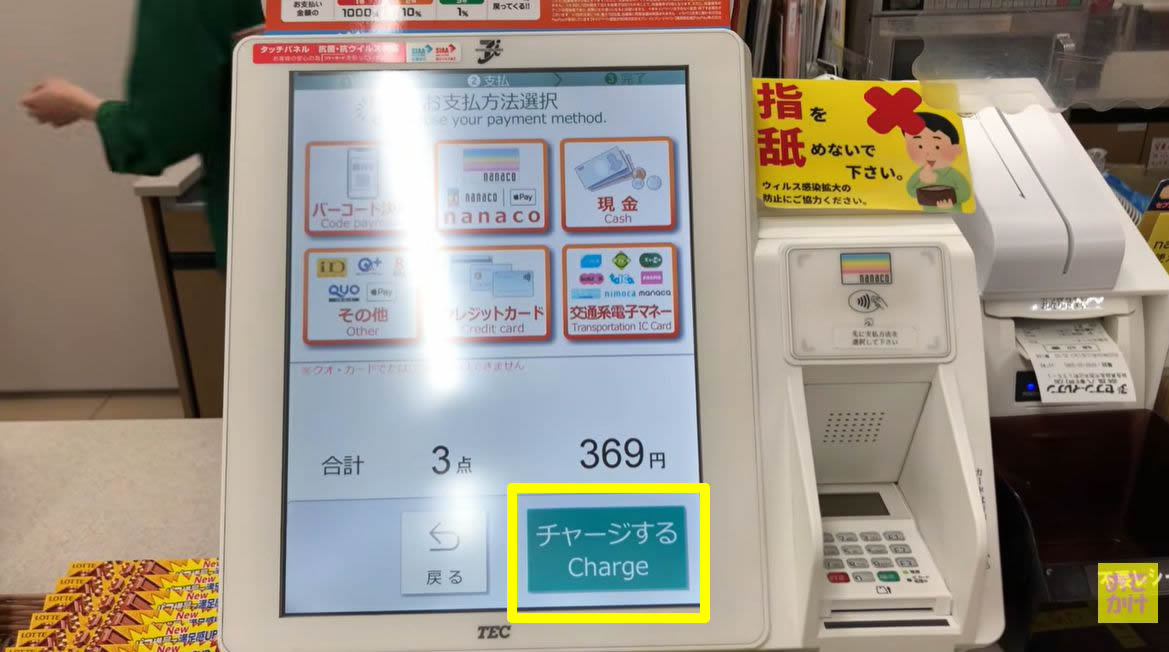
If you just want to top up your card without buying anything, here’s how:
- Tell the staff member you’d like to top up your transit IC card.
- Select “交通系電子マネー” (Transit IC Card) on the register screen.
- Choose the amount you want to add.
- Insert cash, check the amount, and press “OK” to confirm the payment.
- Hold your transit IC card over the card reader.
- Take your receipt, and you’re done.

You can top up in ¥1,000 increments, but your total balance after topping up can’t exceed ¥20,000!
How to Use Self-Checkout at 7-Eleven in Japan
Next, let’s look at how to use self-checkout, with screenshots taken from this video.
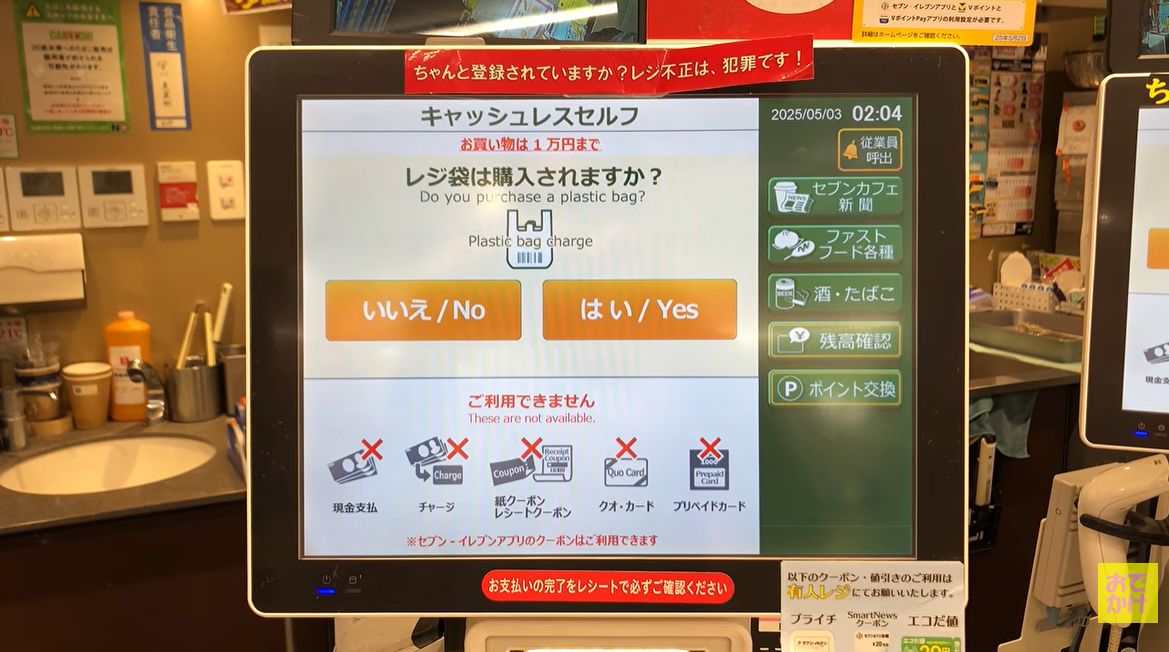
The self-checkout register shown here displays “お買い物は1万円まで” (Purchases are limited to ¥10,000).
If your purchase exceeds ¥10,000, use a staffed register.
① First, choose whether you need a shopping bag.
② Scan the barcode on each item.
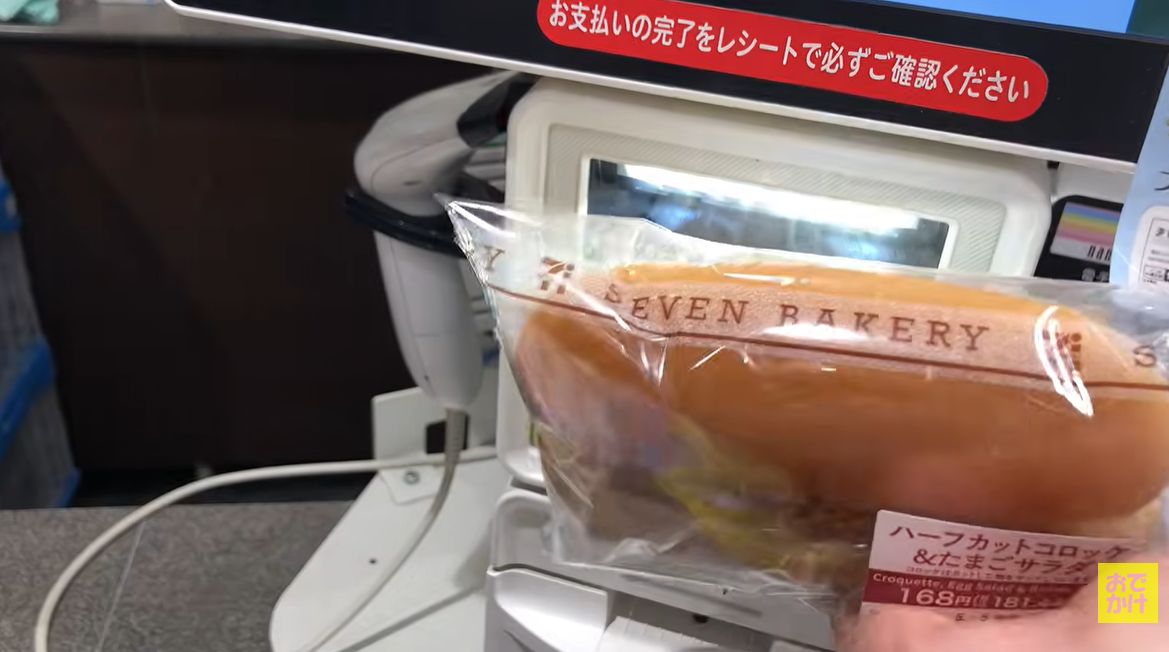
The barcode scanner is below the screen. Scan all your items one at a time.
③ Check the total and tap “お支払いへ” (Proceed to Payment).
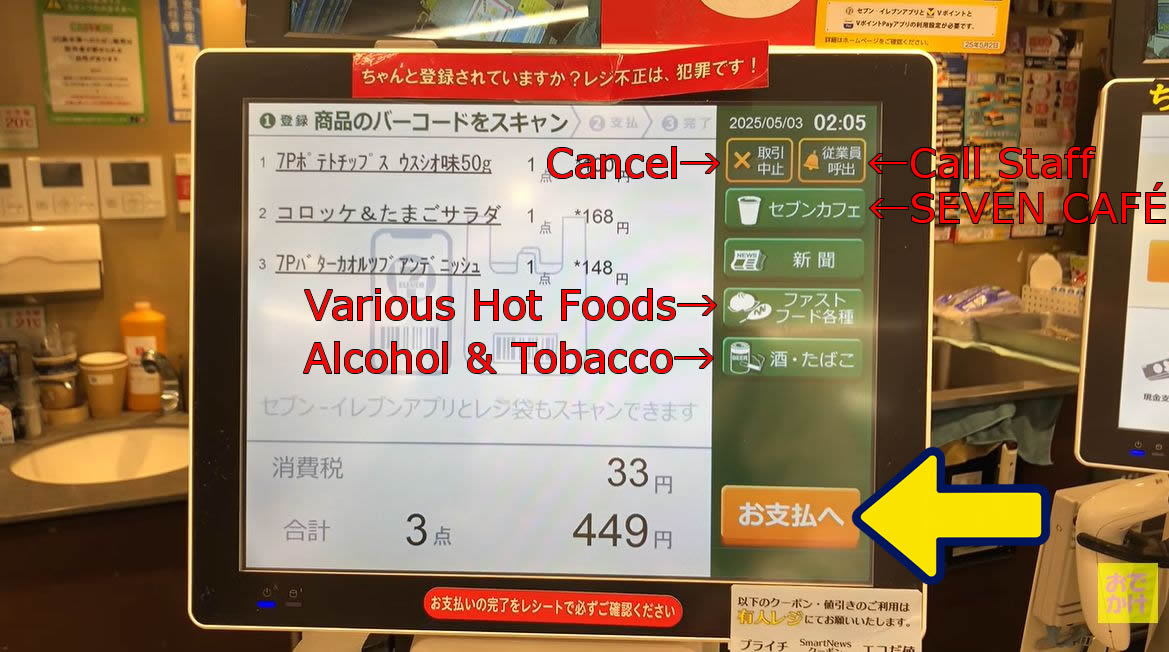
If you’re buying alcohol, cigarettes, or hot snacks, you may need help from a staff member.
If so, tap the “従業員呼出” (Call Staff) button on the screen.
④ Choose your payment method.
- Credit Card (クレジットカード) / To pay with a credit card.
- Transit IC Card (交通系電子マネー) / To pay with Suica, PASMO, ICOCA, or another transit IC card.
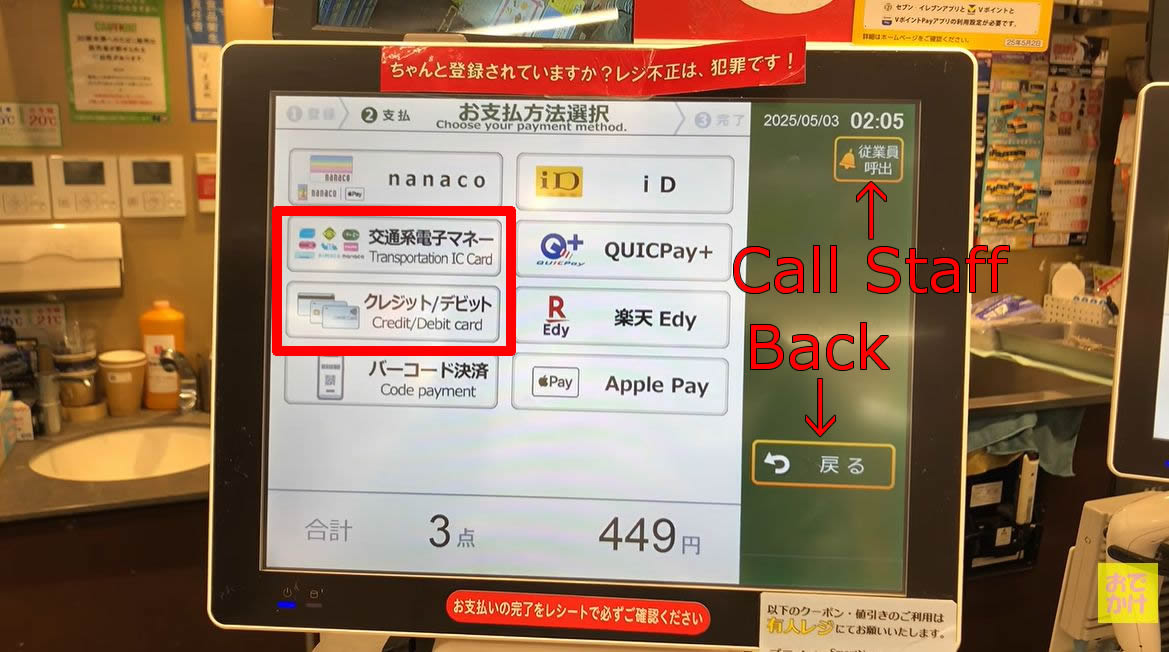
If you don’t see a “Cash (現金)” option on the screen, you can’t pay with cash. If you want to pay in cash, use a staffed register instead.
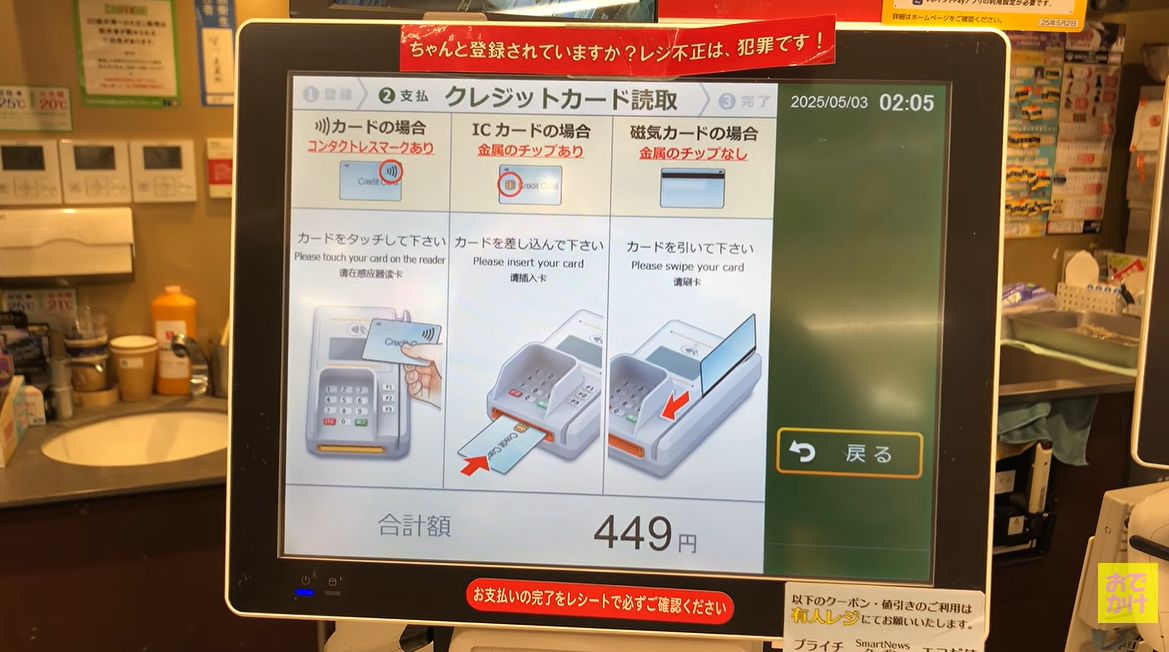
⑤ Check the payment instructions on the screen.
In this example, we selected the credit card option.
- Card with the contactless symbol (Tap to Pay)
- Chip card (with a metal chip)
- Magnetic stripe card (without a metal chip)
How you pay depends on the type of credit card you’re using.
⑥ Follow the instructions to complete your payment.
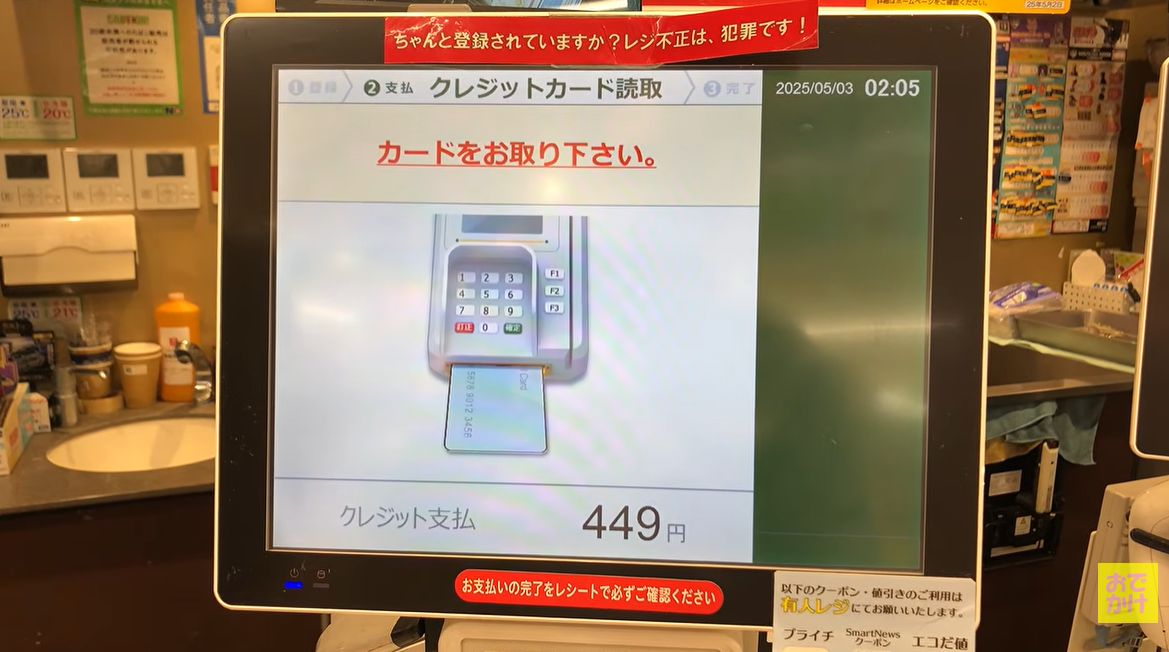
This example shows how to pay by inserting a credit card with an IC chip.
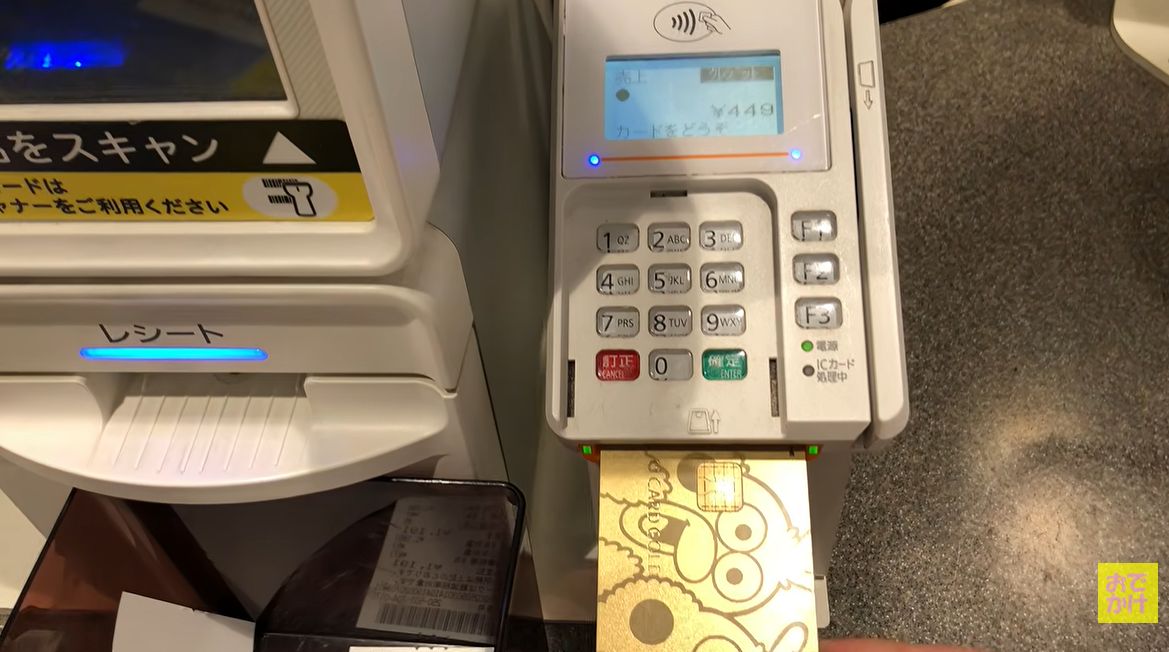
⑦ When to Remove Your Card
Wait until the sound stops and the screen tells you to remove your credit card. Then take your receipt, and you’re done.